


Many of you have probably started wondering about this because your current WordPress site is working fine, but you keep seeing the term "block theme," you noticed an unfamiliar "Site Editor" menu added to your dashboard, or the "Appearance > Customize" option disappeared after you changed your theme.
This articleIf you are currently using a classic theme and are curious about block themesI am writing for . Starting with the definitions of terms, I will sequentially organize what specifically is different, how your work will change if you switch, and what will not be carried over or will be lost.
All factual parts are from the official WordPress documentation and plugin directory. September 22, 2026It has been confirmed with [person/source]. The source will be linked in the text.
What is a block theme?
What is a block theme?A theme that builds the entire site (header, footer, post list, article pages, etc.) with blocksis. The official WordPress documentation explains it as follows:
A block theme is a theme that uses blocks for all parts of a site, including navigation menus, header, content, and site footer.
(A block theme is a theme that uses blocks for all parts of the site, including navigation menus, headers, content, and footers.)
Source:WordPress.org Documentation – Block themes
It was introduced in WordPress 5.9, released on January 25, 2022. This version officially introduced Full Site Editing, and at the same time, Twenty Twenty-Two was included as the first default block theme in WordPress history. (Source:WordPress.org Documentation – Version 5.9)
With previous themes, only the article body could be edited in the block editor, while the header and footer were inside the theme's PHP files. With block themes,That boundary is gone, and almost the entire site can be edited with the same editor.For distinction, traditional themes have come to be called "classic themes."
How is it different from the classic theme?
First, I will lay out the big picture. This is not a matter of which one is superior;The location of settings and the entry point for editing have changed.is the essence.
| Item | Classic theme | Block theme |
|---|---|---|
| Template | index.php PHP files such as | templates/index.html such as HTML files |
| Header and footer | header.php / footer.php | Template part (editable in admin screen) |
| Definition of colors and font sizes | CSS and theme options screen | theme.json |
| Visual adjustment | Appearance > Customize | Appearance > Editor (Site Editor) |
| Menu | Appearance > Menus | Navigation block |
| Widget | Appearance > Widgets | Place blocks directly in template parts |
Here, we will look at the three most impactful ones in order.
Difference 1: Design settings are consolidated in theme.json
The biggest change in block themes theme.json is. A single JSON file placed directly under the theme,color palette, font size scale, spacing scale, content width, initial styles for each blockdefines collectively. (Reference:WordPress Developer Resources – Global Settings and Styles)
For example, if you define eight font sizes here, the block editor's size choices will be those eight levels. Instead of typing numbers like "16px" or "18px," writers will choose from the prepared levels. The syntax looks like this.
{
  "version": 3,
  "settings": {
    "typography": {
      "customFontSize": false,
      "fontSizes": [
        { "slug": "small",  "size": "0.8rem", "name": "S" },
        { "slug": "medium", "size": "1rem",   "name": "M" },
        { "slug": "large",  "size": "1.25rem","name": "L" }
      ]
    }
  }
}
The point is "customFontSize": false It is. Having this in makesThe free-text input field itself disappears from the editor.Regarding the color as well settings.color.custom を false Doing so will close the color picker and you can just choose from the palette.
This is where it starts to kick inAfter the handoverIt is. With a classic theme, no matter how much you tidy it up during production, during operation, directly into the main text style were written in, or headings became a different color, causing the layout to break little by little. Narrowing down the options themselves reduces the room for such breakage.
Difference 2: The templates change from PHP to HTML
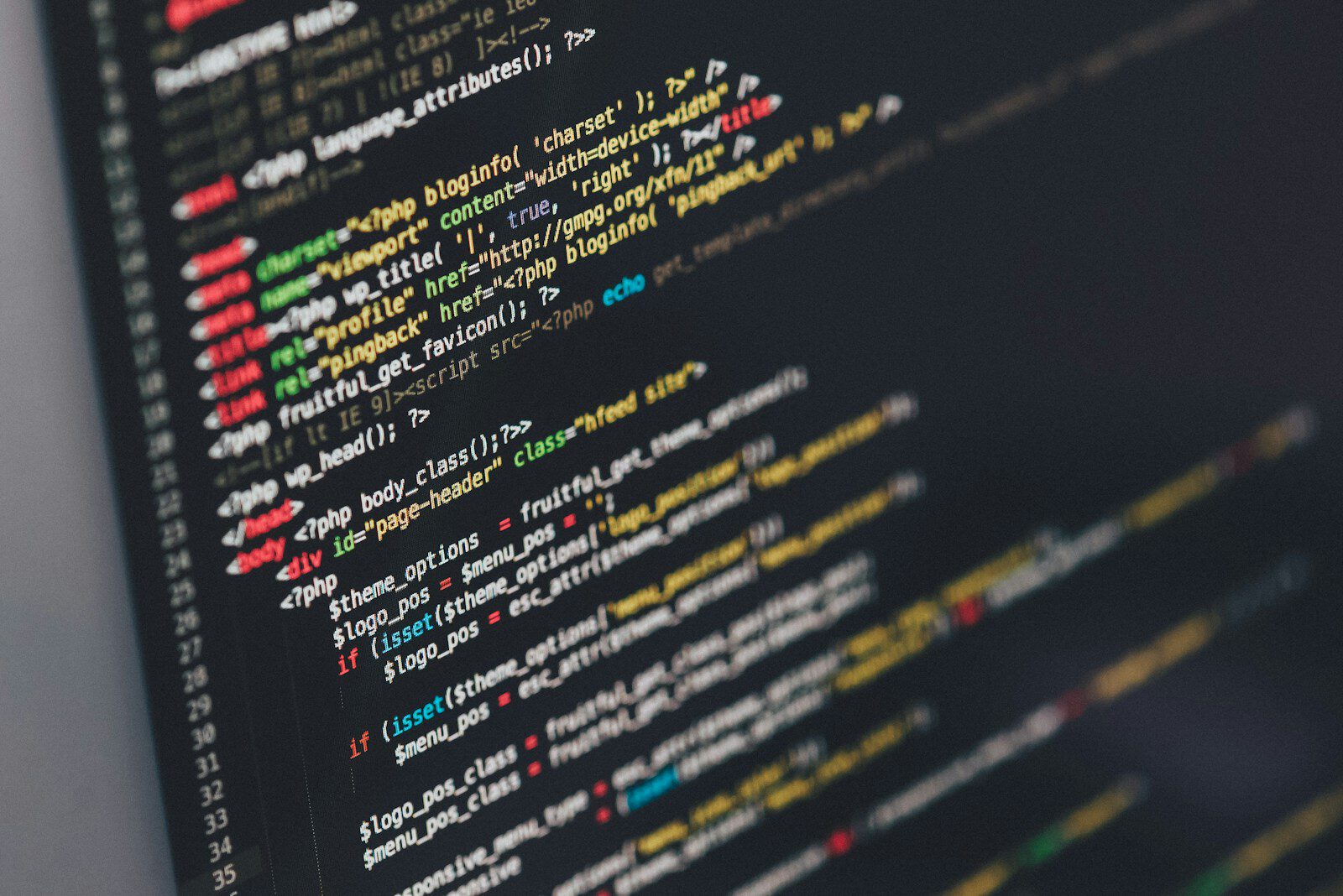
Classic theme's single.php corresponds to in block themes templates/single.html It becomes. The content is not PHP, but HTML written in block comment notation.
While it has become possible to touch templates even without being able to write PHP,What could only be done in PHP cannot be written straightforwardly.Processes such as conditional branching or running custom queries inside loops cannot be brought over as-is. We will touch upon this in the "Common Pitfalls" section below.
Difference 3: Visual changes can be completed within the management screen
From the site editor, which opens from "Appearance > Editor," you can edit parts that previously required touching files via FTP, such as the header logo position, footer wording, and article list arrangement. The edited content is not saved in the theme files, but ratherstored in the databaseTherefore, it will not be overwritten even if you update the theme.
According to the official documentation, the six menus visible when opening the site editor are as follows (Source:WordPress.org Documentation – Site Editor, last updated September 14, 2026).
- IdentitySite title, catchphrase, logo, site icon
- StyleColor scheme, typography, layout, and switching style variations
- PageEdit the contents of a static page within the site editor
- NavigationMenu list and basic editing
- Pattern: Management of synced patterns and template parts
- TemplateLayouts for each page type (search results, 404, etc.)
Furthermore Starting with WordPress 7.1, the admin bar is always displayed on every screen of the site editor.It has become. The previous complaint about the difficulty of finding the navigation path back to the management screen during editing has been resolved here (same as above).
This means the role of child themes will become smaller. With classic themes, there were many situations where you would create a child theme just to change a single line of a template, but with block themes, you can often just make the change in the site editor and save it.
Bonus: You can switch the entire color scheme.
Block themes have a feature called "style variations." The theme's styles/ In the folder theme.json If you place a file with the same format,You can switch color schemes and typography with a single click from "Styles" in the site editor.。
Even among classic themes, some had "color schemes," but each theme implemented them uniquely. In block themes, this is a standard mechanism, soYou can switch between any themes in the same place with the same operation.This makes it easier to use in ways like showing three color scheme proposals during a pitch.
Until when can the Classic Editor be used?
This is probably what concerns you the most when thinking about switching. First, let's just look at the facts.
Classic Editor is managed by the WordPress teamOfficial pluginSo, here is the situation as of September 22, 2026 (Source:WordPress.org Plugin Directory – Classic Editor)。
| Version | 1.7.0 |
| Last updated | 2026-05-28 |
| active installation | Over 8 million |
| Verified WordPress | 7.0.5 |
The plugin description says "Fully supported and maintained through 2024, or for as long as needed.It is written as "]". This wording itself has not changed from before, butActually, it was updated as recently as May 2026, and is still being maintained.
In other words, this does not mean it will become unusable tomorrow. On the other hand, there is no guarantee as to "how long" it will last. Here,Make it neither a reason to rush to switch nor a reason not to switchI think that is appropriate. Rather, the basis for judgment is as follows.
New WordPress features are designed with the block editor in mind. For example, the official AI plugin released by WordPress.org itself includes "WordPress block editor is required. The Classic Editor plugin and editing environments other than the block editor are not supported." is explicitly stated (Source:WordPress.org Plugin Directory – AI)。They won't become unusable; rather, they will just be excluded from newly added features., widening the gap in this manner.
Things to do before switching
Now let's talk about practical matters. The official WordPress learning site, Learn WordPress, has published a guide on switching from a classic theme to a block theme (Source:Learn WordPress – How to switch from a classic to a block theme). To summarize the main points:
- Take a backup.Complete backup including database, media files, and theme files
- Try it in a staging environment.Instead of switching suddenly in the live event, first identify the problems locally or during staging.
- Check to see if the plug-in is compatible.Before switching to a different plug-in, make sure that the plug-in you're currently using works with the block theme.
- Style your hair.In the "Styles" section of the site editor, decide the color scheme, typography, and margins first.
- Adjust the template.Align the template and template parts to the required shape
- Apply it to the production and check again.
We recommend that you don't take the 3rd step lightly. If you miss it here, you'll have to go back to the previous step when you switch.
Common pitfalls when switching services
"Appearance > Customize" disappears
When you switch to the block theme, the customizer menu will generally no longer be displayed. This is not a bug; it’s because the entry point for settings has moved to the site editor (the official documentation “Block themes” mentioned above also states that the customizer is not available in block themes). If you are handing over the operation to a client,Before switching, you need to re-explain what needs to be changed.。
Custom CSS disappears
It is clearly stated in the official instructions as well.The custom CSS that was applied to the previous theme will not be inherited.Please keep the information you wrote in the "Additional CSS" section of the customizer for later use before switching.
However, I think it’s better to just paste the CSS you’ve withheld as a last resort.Many of them aretheme.json It's so that you don't have to write it in the block settings.That's right. First, check to see what "this CSS was written to fix," then see if there's a way to replace it with the standard settings, and then you'll see that the amount of remaining code is significantly reduced.
Widget and menu settings are not carried over
The widget area and the navigation menu change to separate structures (template parts and navigation blocks) in the block theme.The content you registered with the classic theme will not be transferred as is.The menu will be redesigned, but the fixed pages and posts linked to it can still be used. If you remember where you placed each widget before switching, it will make the process easier.
Cannot edit header / Site Editor does not appear
"I want to replace the header logo, but I can't find the editing screen." "I can't find any editor options in the appearance." — either of these,The theme that is being activated is not a block themeThis is most likely due to the official documentation. The site editor also states thatOnly when the block theme is enabledIt says it can be used.
You can see which theme you are currently using by looking in the theme folder.templates/ Directories and theme.json If there is a block theme、header.php や footer.php If they are in a line, it's a classic theme. From the admin panel, the "Appearance" tab will indicate whether there is an "Editor" option.
We cannot accept customizations that require PHP.
Requirements such as wanting to branch the conditions within a template or want to insert hooks cannot be expressed with just HTML templates. This is where functions.php You can either rebuild it using a block filter or use a plugin with the necessary features.When switching from an existing site, it is recommended to do the inventory here first so that the estimate won't deviate significantly.
You do not have to change everything all at once.
It seems like a two-choice question of "classic theme or block theme," but in reality it'sThere is a phase in between.。
For classic themes theme.json Even just adding one more card,The color palette and text size options on the block editor side can now be controlled from the theme side.The template remains in PHP format, and the design is based on the foundation of the previous theme. This approach is called a “hybrid theme” because the theme incorporates the block structure only in part (categorically, it remains a classic theme).
If you already have an existing site,Rather than aiming for a complete transition all at once, it’s safer to wait until this stage has passed.With that said, I think it’s realistic to proceed from the new site that you’re creating to the block theme.
When block themes are suitable and when they are not
As a basis for judgment, let’s list the pros and cons.
suited for
- A new corporate website or business website that will be created soon
- After the delivery, the client will update the site themselves.
- A site with many pages and a need to maintain consistent design
- Sites that do not want to depend on the proprietary features of a specific theme for long-term use
- Sites that want to incorporate AI-assisted writing and editing
You should consider it carefully.
- An existing site created with PHP template modifications in mind
- Sites that use classic editor-based plugins primarily for their business operations
- Sites that are already stable in operation and do not require any changes
The classic theme doesn't stop working. Unless there's an urgent reason to switch,Next, try it from the new site you're creating.That seems to be a realistic way to proceed.
Summary
- The block theme is a theme that builds the entire site using blocks. Available since WordPress 5.9 (January 25, 2022).
- The definitions of color, font, and margins
theme.jsonThey gather together and the writer chooses from the prepared options. - The template is from PHP to HTML. Header and footer can also be edited in the admin panel.
- Classic Editor is still maintained as an official plugin, but the new features are built with the Block Editor in mind.
- Custom CSS, customizers, widgets, and menu settings are not transferable, so you need to do a stocktake and backup before switching.
- If a complete transition is too heavy, go with a classic theme.
theme.jsonIt can be done without the addition of a step
The transition to the block editor is also a prerequisite for considering production using AI. That is How to Use AI in WordPress: The Current State of the Official Abilities API, MCP Adapters, and AI Plugins I organized them accordingly.
shitate Of the block themes described in this article,Free theme for full site editing onlyYes. It is designed to generate the text size and margins from a single ratio, aiming to make the whole thing look uniform just by selecting it. It can be obtained from the official WordPress directory.
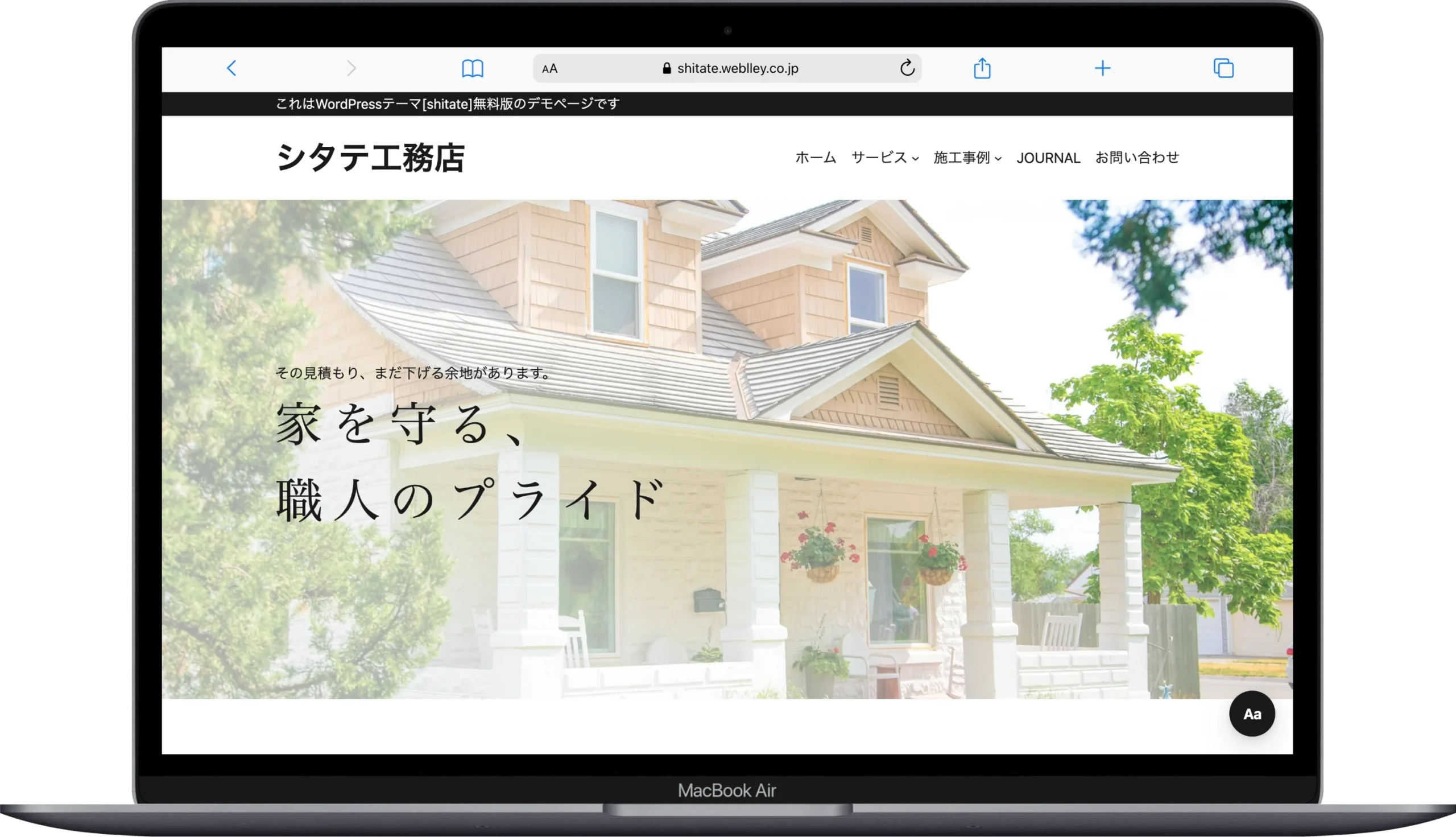
shitate About the specifications / The WordPress.org theme page
