
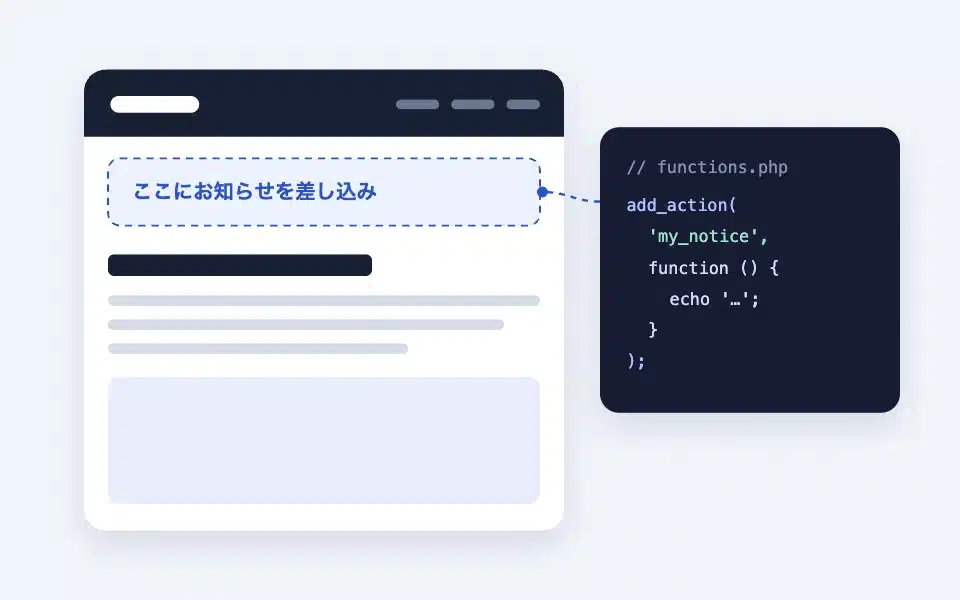
The Action Hook is a block that allows you to place the "theme hook" that you used in functions.php in any position you like in the block theme. In the place where you place the block, sb_action_{hook name} This action triggers, and the content that was echoed in PHP is displayed there. It does not display anything in isolation.Field blockIt is one of the advanced (master block) options that can be used in combination with custom-made code.
Actual display
Since this manual is located on the site that is currently shitate pro blocks running, the following isReal blocks, not imagesHowever, please actually click on it, open it, and check the movement to confirm its functionality.
↓ I am placing the action hook block for the "manual-demo" hook (mode: field) here.
Here isField block "manual-demo"This is the text written inside the field block. It is not displayed in the field block position, but is displayed in the "Action Hook manual-demo" position below.
What you can do
- Display the PHP output written in snippets plugins such as WP Code or custom plugins anywhere on the page
- Outputs the contents of the field block with the same name to this position (can also be processed in PHP)
- When placed within a query loop or query wrapper, it receives the post ID for each item and outputs the custom fields and terms of that post.
Basic usage
- From the "shitate advanced blocks" of the block insertion toolaction hookAdd the
- In the "Hook name" section of the sidebarHook nameEnter the number. Only the following numbers are usable:Lowercase English numbers and
-_Only if you enter Japanese or uppercase letters will a red error message appear while you are typing, and it will be automatically removed when you leave the input field (for example:catch、price、company-info)。 - ModeSelect (below).
- If necessary, write the purpose of this hook in the "Notes" section. The notes will only be displayed within the editor and not on the front end.
- in functions.php or in a snippet plugin
add_action( 'sb_action_hookname', … )I will write about it later (to be discussed later).
The block on the editor contains the firing hook name (do_action( 'sb_action_xxx', … )) is displayed directly, so you can check the name when writing the code.
Settings screen in the editor
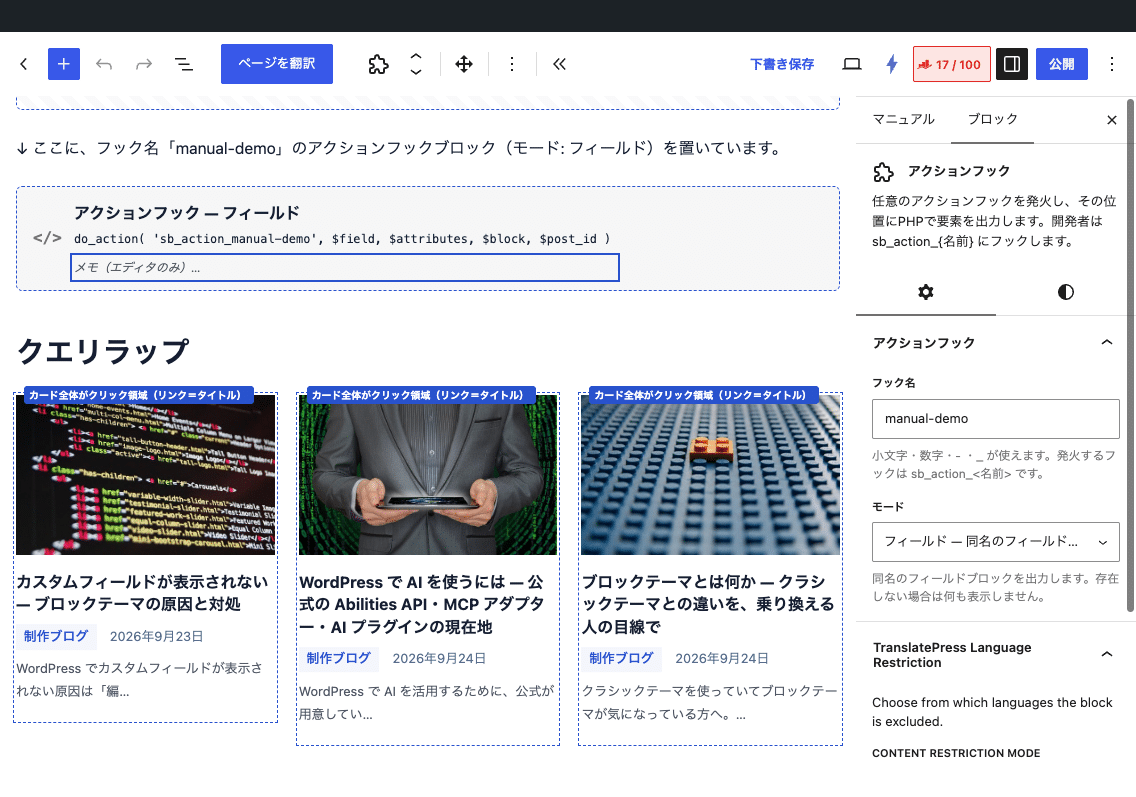
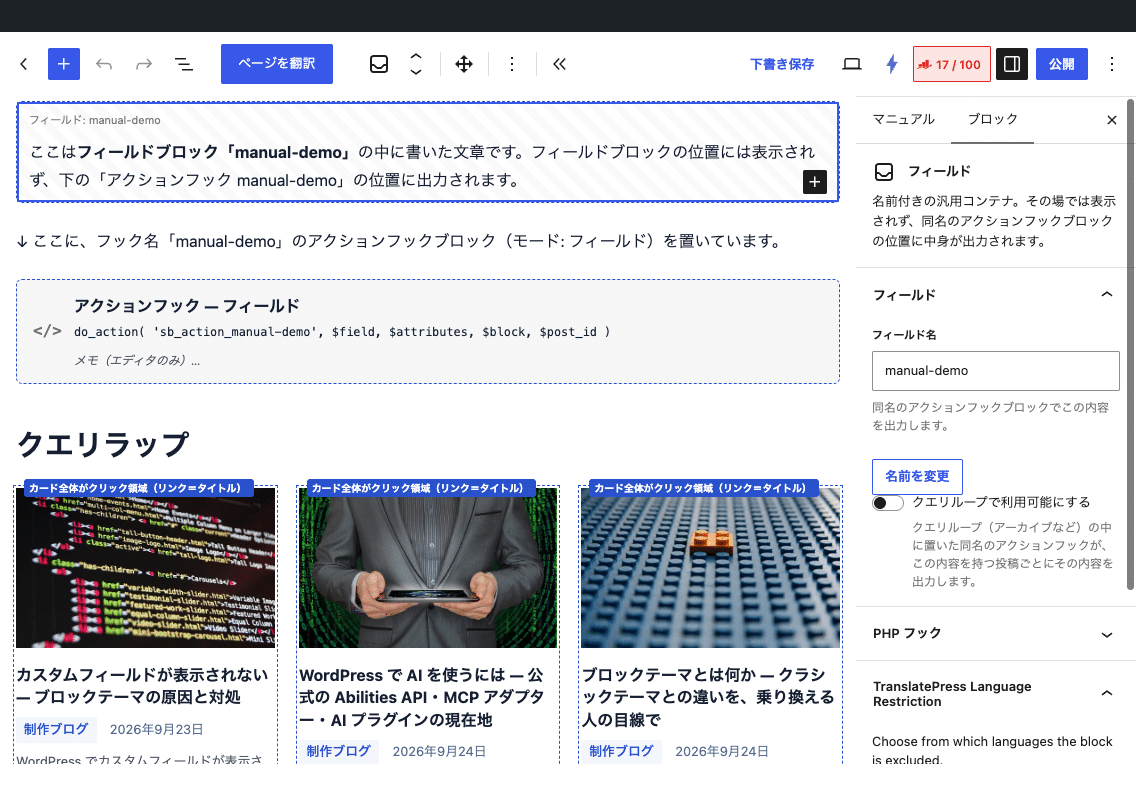
Settings
- Hook name — The name of the action that triggers the fire
sb_action_{hook name}It will become - Mode
- FieldInitial value: Outputs the contents of the field block with the same name to this position. It can also be processed with PHP hooks. If there are no fields with the same name and no output from PHP, nothing is displayed.
- PHP: I am not using the field, and I am just displaying the content that was echoed using PHP hooks.
- Notes — Editor-only notes. They are not output to the front end.
- As a block setting, you can use the top margin and HTML anchor.
How to use from PHP
The hook receives four arguments.The echo content is output exactly as it wasIn field mode, if nothing is echoed, the field content will be displayed as is.
$field— HTML for the same field block (empty text if not specified)$attributes— Attribute of the block (hookName、mode、note)$block— WP_Block object (context can be taken)$post_id— The target post ID. Within the query loop,Post ID for each itemOther than that, the posted ID displayed
// Wrap the field contents in a div and output them in the block for the hook name 'catch':
add_action('sb_action_catch', function ($field, $attributes, $block, $post_id) {
echo '<div class="catch">'' . $field . ''</div>';
}, 10, 4 );
// PHP モードでカスタムフィールド「price」を出す(クエリループ内では各項目の投稿 ID が渡る)
add_action( 'sb_action_price', function ( $field, $attributes, $block, $post_id ) {
echo esc_html( get_post_meta( $post_id, 'price', true ) );
}, 10, 4 );Ignites uniformly across all action hook blocks sb_action There is also another one. This one has a hook name in the first argument, so there are five arguments.
add_action( 'sb_action', function ( $name, $field, $attributes, $block, $post_id ) {
	if ( 'catch' === $name ) {
		// …
	}
}, 10, 5 );
Used in query loop and query wrapper
When placed within the post template for a query loop (or query wrapper), the hook willFor each item, pass the ID of that post.It will ignite. While it is burning, that post will be global. $post It is set to "On",get_the_title() や get_the_terms() You can also use the template tags like "etc." as is. When the processing is finished, it returns to the original post.
If you place it within a query loop in field mode, you must first turn "Make available in query loop" on on the field block side (for more details, seeField blockSee the article at).
Examples of combinations with field blocks
This is the flow when you want the catchphrase on the product introduction page to be displayed on the card in the article list as well.
- Place a field block with the name "catch" in the body of each article, and write a catch copy inside it. Turn on "Make available in query loop".
- Place the hook name "catch" and the mode "field" action hook in the article list template (within the query loop post template).
- For each card in the list, the catch copy of that article is displayed. PHP works without having to be written; you just wrap it with a hook like the code above if you want to add decoration.
HTML output
Only when there is an output,<div class="sb-action-hook">…</div> Then we wrap it and display it. When the output is empty, we don't output anything for each block, so there is no empty div left.
Points to note
- If there are errors in the PHP code, it will affect the display of the entire page. First, check it out locally or in staging mode to ensure that it works, then apply it to production.
- The content of the echo is, if necessary,
esc_html()やwp_kses_post()Then escape from it.$fieldIt is an HTML file saved in the block editor, so it can be output as is without any problems. - The hook name does not need to be unique per post. Placing the same action hook with the same name in multiple templates allows you to control them all with the same PHP code.