
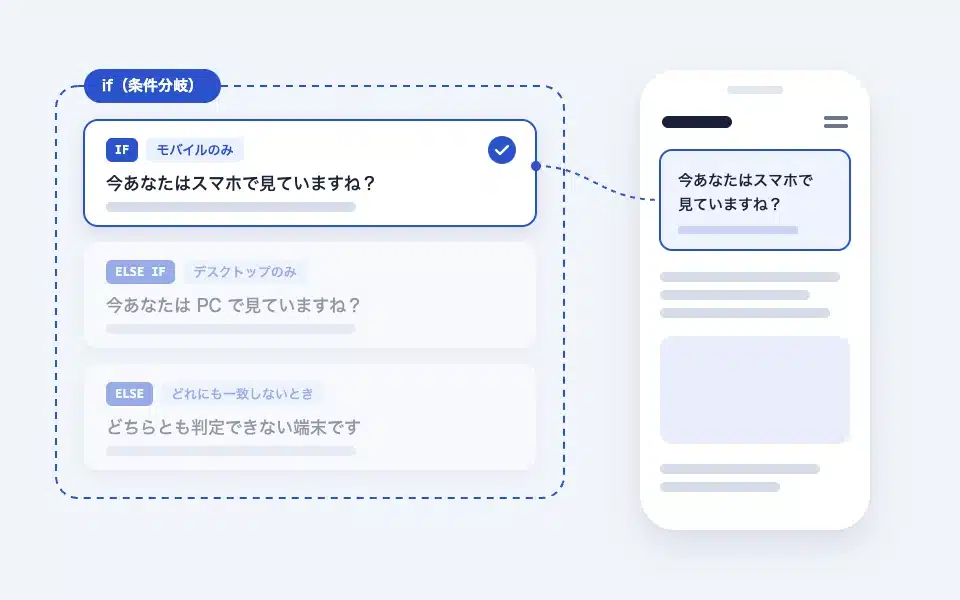
If is a block that switches the content displayed based on conditions, similar to PHP's if / else if / else. It evaluates the branches in order from the top down, andOnly the branches that met the conditions firstThe decision is made on the server side, so the HTML for the unshown branches is not output to the page. If placed in a template, you can create no-code features such as "show the guide only to people who are logged in" and "show a different banner only on the top page".
Actual display
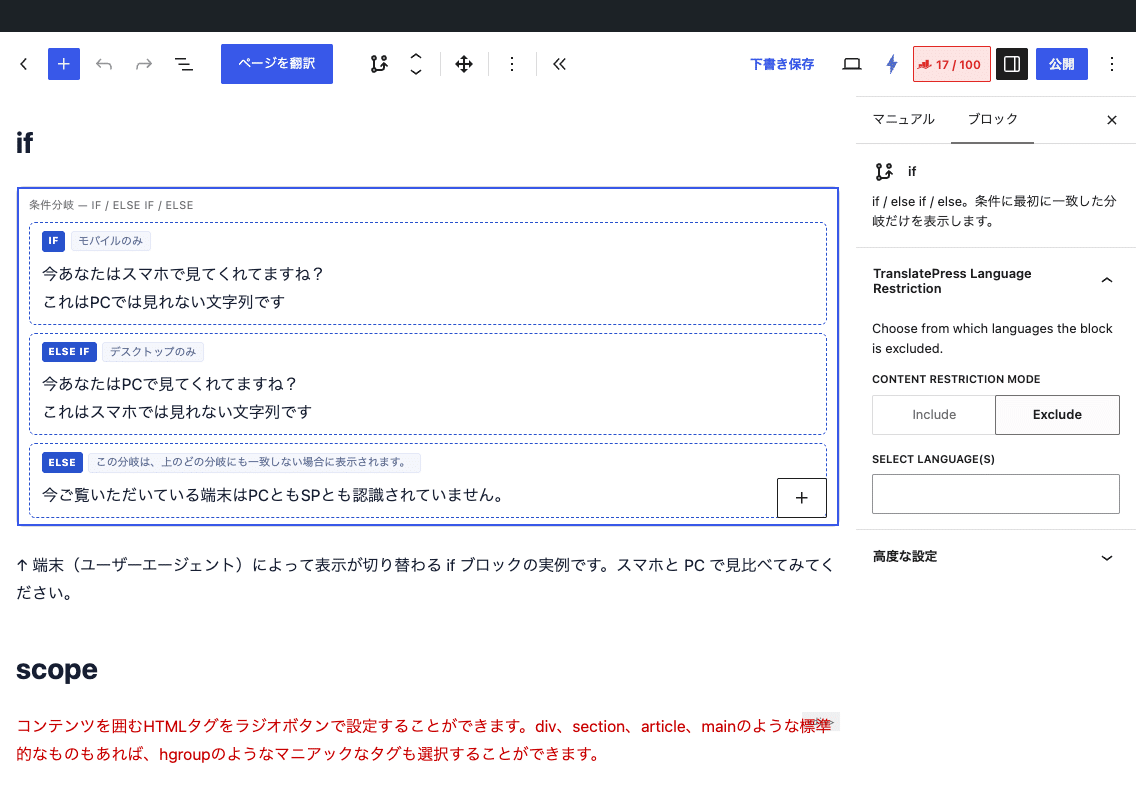
Since this manual is located on the site that is currently shitate pro blocks running, the following isReal blocks, not imagesHowever, please actually click on it, open it, and check the movement to confirm its functionality.
You are looking at this on a PC right now, aren't you?
This is a string of text that cannot be viewed on a smartphone.
↑ This is an example of the if block that switches the display depending on the terminal (user agent). Please compare the results on a smartphone and a PC.
Basic usage
- From "shitate tag blocks" if Add the first branch (IF). There is only one branch at first.
- Select the branch and set the conditions in the sidebar. The conditions you set are displayed with a checkmark next to the branch label (if no conditions are set, they are displayed as "Always displayed").
- Insert the block you want to display inside the branch.
- Adding a branch with a "+" will result in an ELSE IF. If you want a container for when none of the conditions apply, check "Else Branch (Always Match)" on the last branch.
The editor does not determine the conditions, so all branches are displayed in a row. Please check the actual distribution in the front office.
Settings screen in the editor
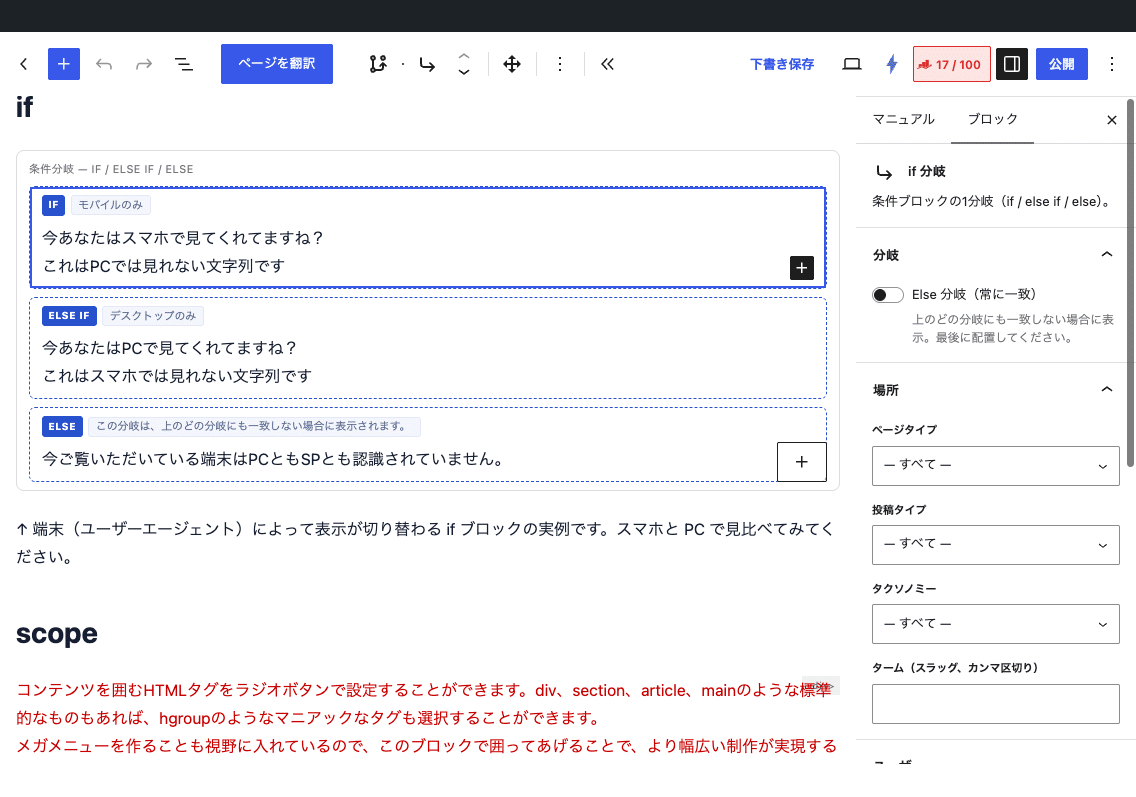
Things that can be used for the conditions (sidebars for each branch)
- Location — Page type (all/front page/blogtop/individual posts/fixed page/general individual pages/archives/search/404), post type, taxonomy + term (comma-separated slug; only when both are included is the result determined), post ID (comma-separated)
- User — Login status (logged in/logged out), permission groups (administrator, editor, contributor, contributor, subscriber; since the criteria are determined by exact match, administrators do not match the "editor" condition)
- Custom fields — Meta keys and operators (present/matching/not matching). Look at the fields of the posted item in view.
_Protected keys that start with are not usable. - Duration and device — Start date and end date (including site time zone and boundaries), device (mobile only/desktop only; server-side user agent determination)
- Inversion (NOT) — Matches when the conditions are not met
Handling multiple conditions (AND and OR)
- If you set multiple conditions on one branch,When all of them are metMatches (AND).
- If you want to use "A or B" (OR), you can either arrange the branches with the same content in an ELSE IF, or you can nest the if block.
- The "reverse" command reverses the entire condition of the branch (NOT (A and B)).
- Always place the ends of the Else branches at the end. If you place them in the middle, the ends at the back will not be evaluated.
Common uses
- Only show "Register as a Member" to people who are logged out (login status: logged out)
- Only display the banner during the campaign period (start date and end date)
- Provide a link to related services at the end of articles in specific categories (taxonomy: category, term: service)
- Only the phone button is activated (device: mobile only)
Output and class
If the blocks and branches are on the front,Does not output the wrapper elementOnly the HTML content of the selected branch is output as-is. Therefore, any additional CSS classes or anchors attached to the if block itself are not displayed, and the decoration is applied to the branch itself. The TOC block only picks up the title of the branch that will be displayed.
Notes (compatibility with caching)
- The login status, permissions, device, and duration conditions are determined by the server for each request.When page caching is used, the cached HTML does not meet the requirements.The device condition setting for splitting mobile cache is required, while the period condition requires deleting the cache at the time the switch occurs. The login status is not a problem as long as the login status plug-in excludes logged-in users.
- The device determination is done by the user agent, not by the screen width. If you want to switch to a different width, use the front CSS of the CSS (media query) or scope block.
- Blocks in branches that are not displayed are also rendered once by WordPress’s system. If you place an action hook-like block in a branch that has side effects, please take that into account.
- The permission groups you have added independently are not available for selection.