
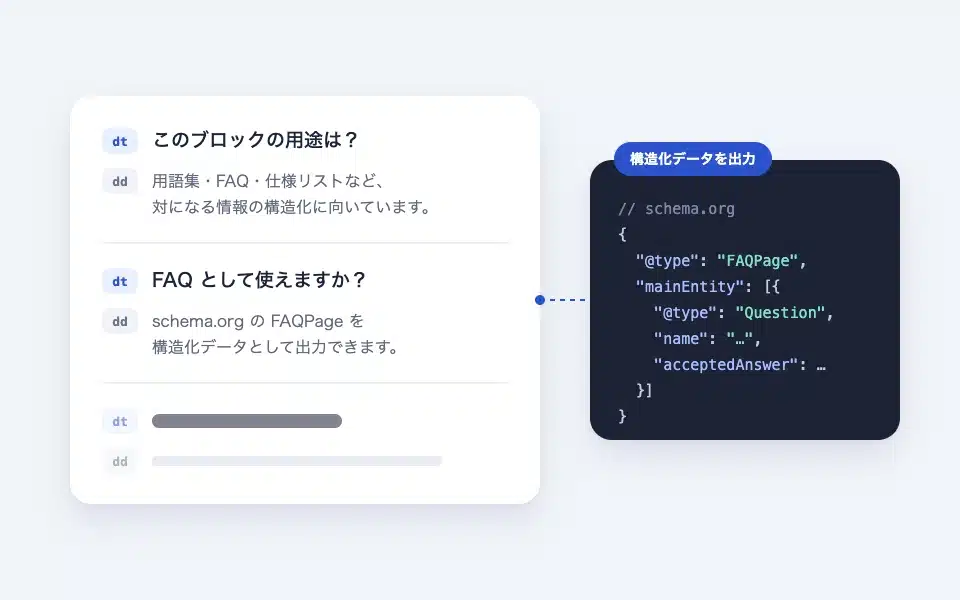
dl is an HTML description list (<dl> / / It is a block that can handle the data directly. It is suitable for structuring information where the items and their content are paired, such as "terms and their descriptions," "questions and answers," and "specification names and values." This is useful for communicating the semantic "similarity" to browsers and search engines, making it effective from an accessibility and SEO perspective. If you use it as an FAQ, you can output the FAQPage from schema.org.
Actual display
Since this manual is located on the site that is currently shitate pro blocks running, the following isReal blocks, not imagesHowever, please actually click on it, open it, and check the movement to confirm its functionality.
- What is the purpose of this block?
-
It is suitable for structuring information where items and content are paired, such as dictionary-like glossaries, FAQs (questions and answers), and product specification lists.
This is effective from the perspective of accessibility and SEO, as it correctly conveys the semantic meaning of "being a pair" to browsers and search engines.
Basic usage
- From "shitate tag blocks" download Initially, there is a set of "terms" and "descriptions."
- Enter the term that will be the title of the "Term..." section (in the case of FAQs, the question).
- Insert content into the "Description". You can insert any block, not just paragraphs, such as lists, images, and buttons.
- The final “+” adds “terms” or “descriptions”. You can also continue with multiple descriptions for a single term.
Settings screen in the editor
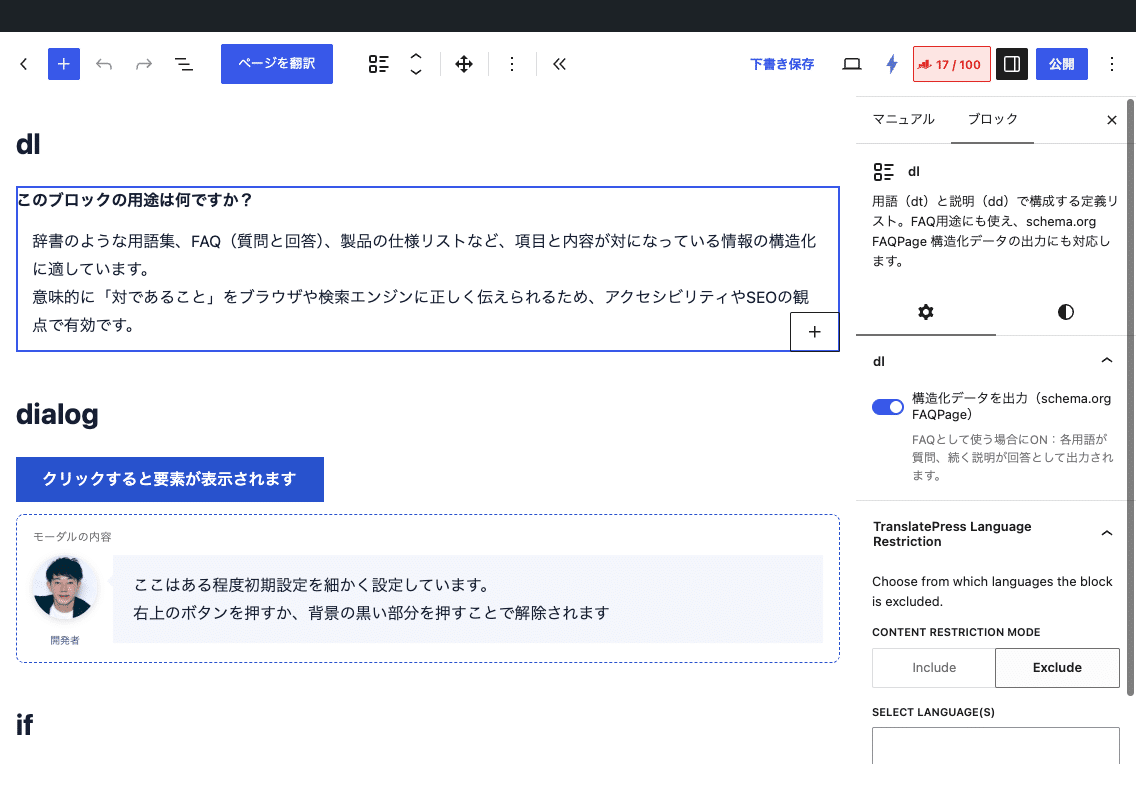
Settings
- Output structured data (schema.org FAQPage)(Parent block sidebar) — When turned on, it outputs JSON-LD for each term as questions and subsequent explanations.
- In each of the parent, terms, and explanations, the core color (background and text) can be used. The parent and terms can also be resized.
- You can use bold and italic formatting shitate in the text of the terms.
FAQPage Output rules
- Each time the term (dt) comes, a new question begins, and the explanation (dd) that follows is all linked together to form one answer.
- Only groups containing both questions and answers are output. Terms that are not explained, or the explanation before the term, are not output.
- The answer is plain text without any tags (no links or images are included).
- If there are multiple dl elements with schema on a single page, the FAQPage will also be output in that number of copies.
- Google currently limits the display of FAQ rich results to government and medical-related sites. There is no disadvantage in itself to outputting them, but they are not necessarily reflected in the search results.
HTML and CSS output
- 用語
- …説明…
The design is minimal. Terms are in bold, and explanations are in italics. --st-space-s / --st-space-m The whitespace after the description comes after the term above. --st-space-m There is a gap between the two times. JavaScript is not used.
/* FAQ 風に、用語の頭に「Q.」を付け、説明を少しインデント */
.sb-dl-dt::before { content: "Q. "; color: var(--st-color-brand); }
.sb-dl-dd { padding-left: 1.5em; border-left: 2px solid var(--st-color-border, #e5eaf9); }
Points to note
- The order of terms and explanations is not checked. Please arrange them in a way that they are intended to be a "counter".
- For FAQs that you want to open and close, use the details block; for FAQs that need structured data, use the dl block. If you want both, put the dl in the details block; you can then output the structured data, but the linking rules for the answers remain unchanged.
- 1.6.1 Previous storage formats (
sb-dl__dt/sb-dl__dd) will automatically be migrated when opened in the editor.